![nvolve-logo-140.png]](https://knowledgebase.nvolvegroup.com/hs-fs/hubfs/Logos/nvolve-logo-140.png?height=34&name=nvolve-logo-140.png)
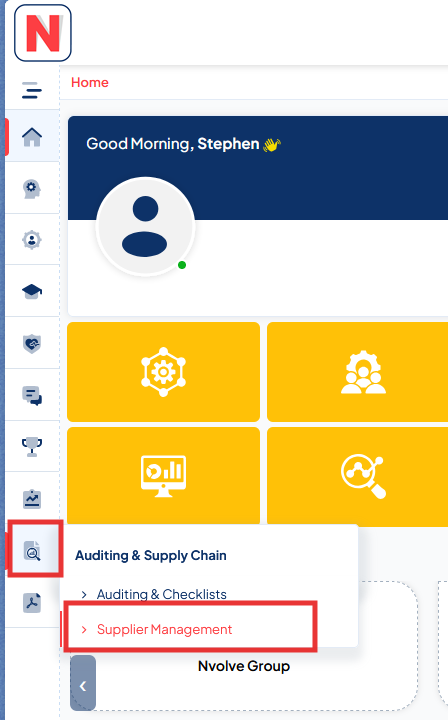
To access the Supplier Management dashboard in Nvolve, first log in as an administrator with the appropriate permissions. From the main menu, navigate to Auditing & Supply Chain and then select Supplier Management.
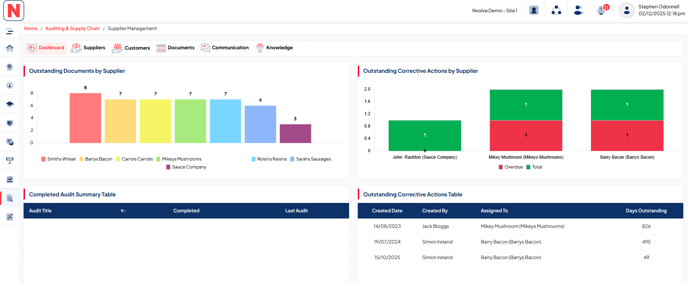
When the Supplier Management page opens, the Dashboard is displayed. Here you can view key information, including Outstanding Documents by supplier, Outstanding Corrective Actions by supplier, a Completed Audit Summary, and the Outstanding Corrective Actions table.