![nvolve-logo-140.png]](https://knowledgebase.nvolvegroup.com/hs-fs/hubfs/Logos/nvolve-logo-140.png?height=34&name=nvolve-logo-140.png)
NOTE: Ensure that you have a strong, consistent Wi-Fi connection when using Online mode.
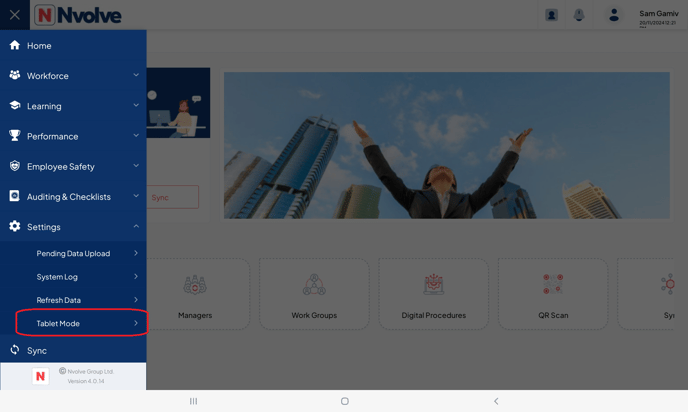
Access the menu and proceed to the settings tab, then choose the tablet mode option.
Enable the Online mode by toggling the switch to the 'on' position.
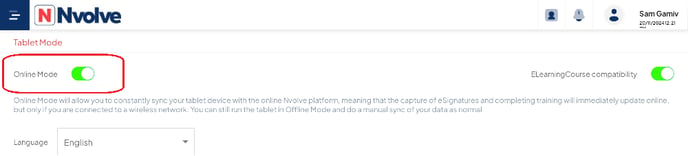
The Tablet is now successfully configured to online mode and will begin syncing automatically.