![nvolve-logo-140.png]](https://knowledgebase.nvolvegroup.com/hs-fs/hubfs/Logos/nvolve-logo-140.png?height=34&name=nvolve-logo-140.png)
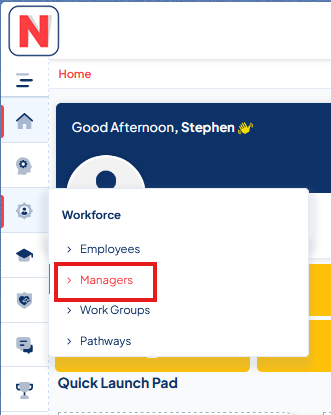
You can assign multiple employees to your direct reports through the managers page. To do this head to the managers page found under the workforce tab.
Next click on the eye icon of the manager you wish to assign direct reports to.

Head to the direct reports tab and then move the employees from the left Available Column to the right Selected column to add them as direct reports. Afterwards click on save updates to save the changes.
