![nvolve-logo-140.png]](https://knowledgebase.nvolvegroup.com/hs-fs/hubfs/Logos/nvolve-logo-140.png?height=34&name=nvolve-logo-140.png)
To access this report, navigate to the Reports page and select the "Learning Skills & Compliance" tab.
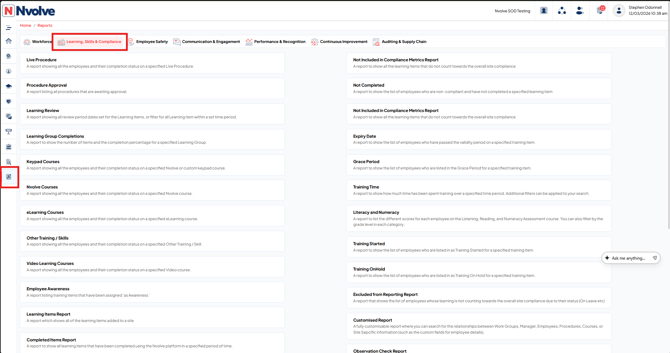
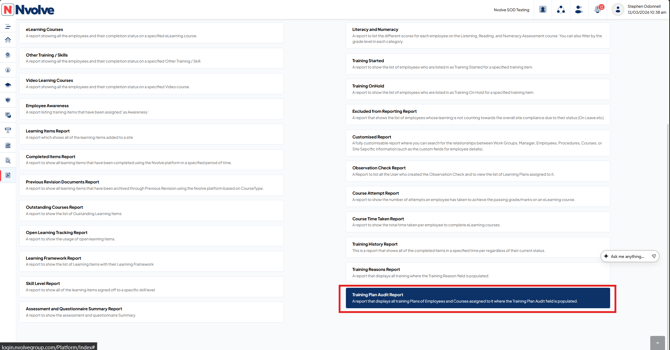
Then, scroll to the bottom of the page to view the Learning Plan Audit report.
When you run this report you set the Start date and End date of the time-frame you wish this report to cover and you will also have the option to filter by employee, Learning Type and Course name.
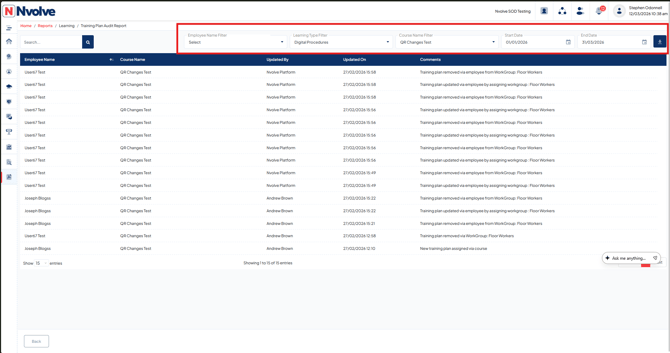
Each column displays the employee name, course name (that has been assigned or removed), the user who made the update (The user that assigned or removed the training item), and comments explaining how the training item was assigned or removed from the employee.